Clean Product Photos for Online Sales in Minutes
Stop struggling with messy product shots. Learn how to remove backgrounds from photos in seconds to make your Etsy, eBay, or Facebook Marketplace listings look professional and trustworthy.
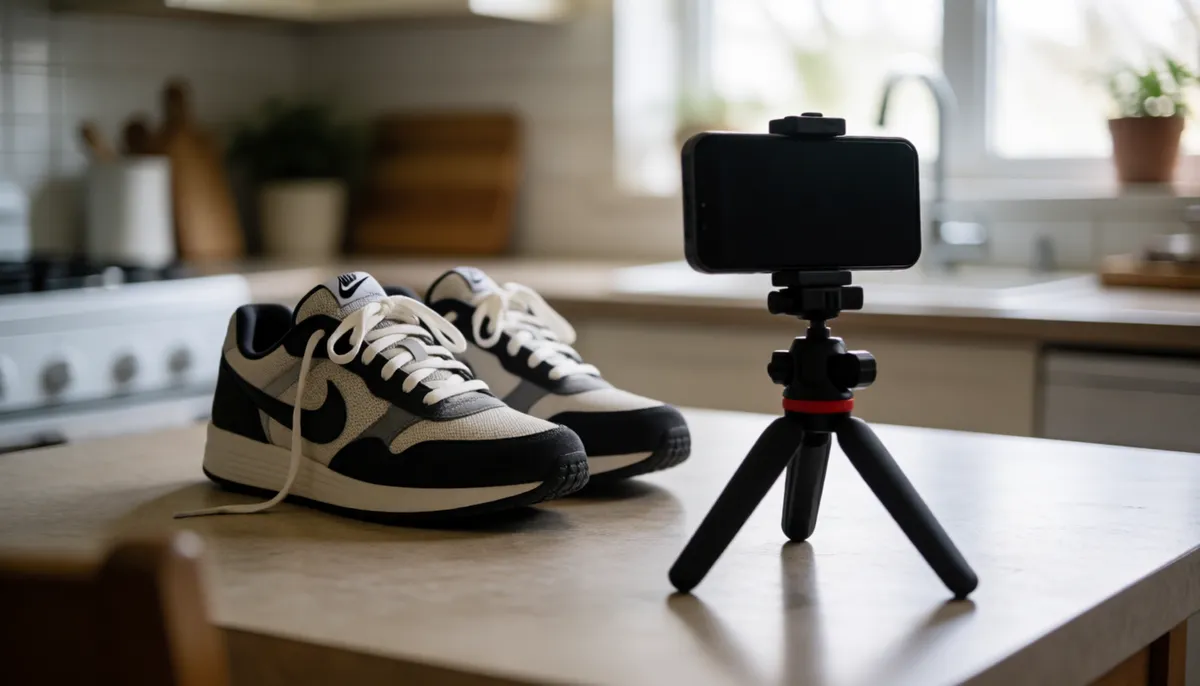
Most sellers know that the first thing buyers look at is the photo. If your product looks like it was shot in a cluttered bedroom or on a messy kitchen counter, buyers often skip right past it. They want to see the item clearly, without distractions. You do not need a studio, a backdrop, or expensive editing software to fix this. You just need a clean, consistent background. White is the industry standard for a reason: it makes colors pop and makes the product the star of the shot. Transparent backgrounds are also useful if you plan to add your own branded textures or colors later. The good news is that fixing a bad background is faster than you think. With the right tool, you can go from a messy snapshot to a professional listing image in under a minute.
Why a Clean Background Matters More Than You Think
Buyers scroll through hundreds of listings a day. Your photo has a few seconds to convince them to click. A cluttered background sends two silent messages: "I am not organized" and "This might be a scam." In contrast, a clean white background signals professionalism and care. It tells the buyer that you take your business seriously. This is especially true on platforms like Etsy and eBay, where consistency is key. When all your photos have the same clean look, your shop feels like a real store, not a garage sale. It builds trust before the buyer even reads your description. You do not need to be a photographer to achieve this. You just need to remove the noise around your product. This is where a background remover comes in. It does the heavy lifting of separating your item from the background so you can focus on selling. Nebula's Background Remover is designed exactly for this. It handles people, pets, and objects with precision, giving you a crisp edge without you having to paint it in by hand.
Getting Your Product Ready for the Tool
Before you upload your photo, take a quick look at the shot. Does it have good lighting? Shadows can be tricky. If your product casts a hard shadow on the table, the tool might keep that shadow as part of the product. If possible, try to take the photo with soft, even lighting. A window on an overcast day is perfect. If you only have harsh light, try to angle the product so the shadow falls behind it, not in front. The photo does not need to be perfect, but it needs to be clear. Make sure the product is in focus. If the edges are blurry, the tool will have a harder time defining where the product ends and the background begins. Hold your phone steady and tap to focus on the item before you snap. You can also take a few shots and pick the one where the lighting looks most even. You do not need a pro camera. A modern smartphone is more than enough to get a clean cutout. The goal is simply to give the software a clear subject to work with. Once you have your best shot, you are ready to start the magic.
How to Remove the Background in Seconds
The process is straightforward. You upload your image, and the tool automatically detects the subject. It looks for the edges of your product and separates them from everything else. You do not need to draw a line or select a region. The software does the identification for you. Once it has made its first pass, you can check the result. Most of the time, it is perfect. If there are small bits of background left, like a corner of the table or a stray shadow, you can usually fix it with a quick brush. The interface is simple: a brush to erase background bits and a brush to restore product parts you might have missed. It is like having a very fast assistant who knows exactly where the edges are. For a white background, you simply choose the white option. The tool places your product on a pure white canvas. For transparency, you choose the transparent option. This creates a PNG file where the background is see-through. Both options are ready to upload immediately. You do not need to save it as a JPEG and re-upload it. The file is already in the right format for your marketplace. This speed is what makes it practical for selling. You can process ten, twenty, or fifty photos in the time it used to take to edit one. This consistency across your entire inventory is what really sets your store apart.
Best Practices for Etsy, eBay, and Facebook Marketplace
Each platform has its own vibe, but clean backgrounds work everywhere. On Etsy, buyers expect a curated look. A white background fits perfectly with the handmade and vintage aesthetic. It keeps the focus on the craftsmanship. On eBay, competition is high. A clean photo helps your item stand out in search results. You want to look like a professional seller, not a casual flipper. On Facebook Marketplace, you are dealing with local buyers. They are often looking for a quick deal. A clean photo makes the item look easier to handle and more authentic. It removes the guesswork of what the item actually looks like. For all three, try to keep your camera angle consistent. If you shoot every item from the same height and distance, your store will look unified. You can also use the transparent option to place your product on a subtle gray background if you want a softer look. Some sellers use a light gray to make white products stand out. The key is consistency. Pick a style that works for your brand and stick with it. Buyers remember stores that look put-together. It is a small effort that pays off in higher click-through rates and more sales. You are not just selling a product; you are selling confidence. A clean photo is the easiest way to project that confidence. It tells the buyer, "I am serious about this, and I treat my items with care." That is a powerful message. It does not require a degree in design. It just requires a tool that does the hard work for you. Keep your photos clean, and your listings will look as professional as any big brand. The extra minute you spend on the background is an investment in every sale you make. It is the difference between being ignored and being chosen. Make that choice for yourself today.
Ready to clear the clutter? Head to Nebula's Background Remover and turn your product shots into professional listings in minutes. No sign-up, no cost, just clean results. Your buyers will notice the difference, and your sales will thank you for it.